
Paisa is an open-source personal finance manager built on Ledger double-entry accounting. It brings spending, investments, liabilities, and plans into one place while keeping your records in plain-text files.
Install Paisa Take the Product Tour View on GitHub
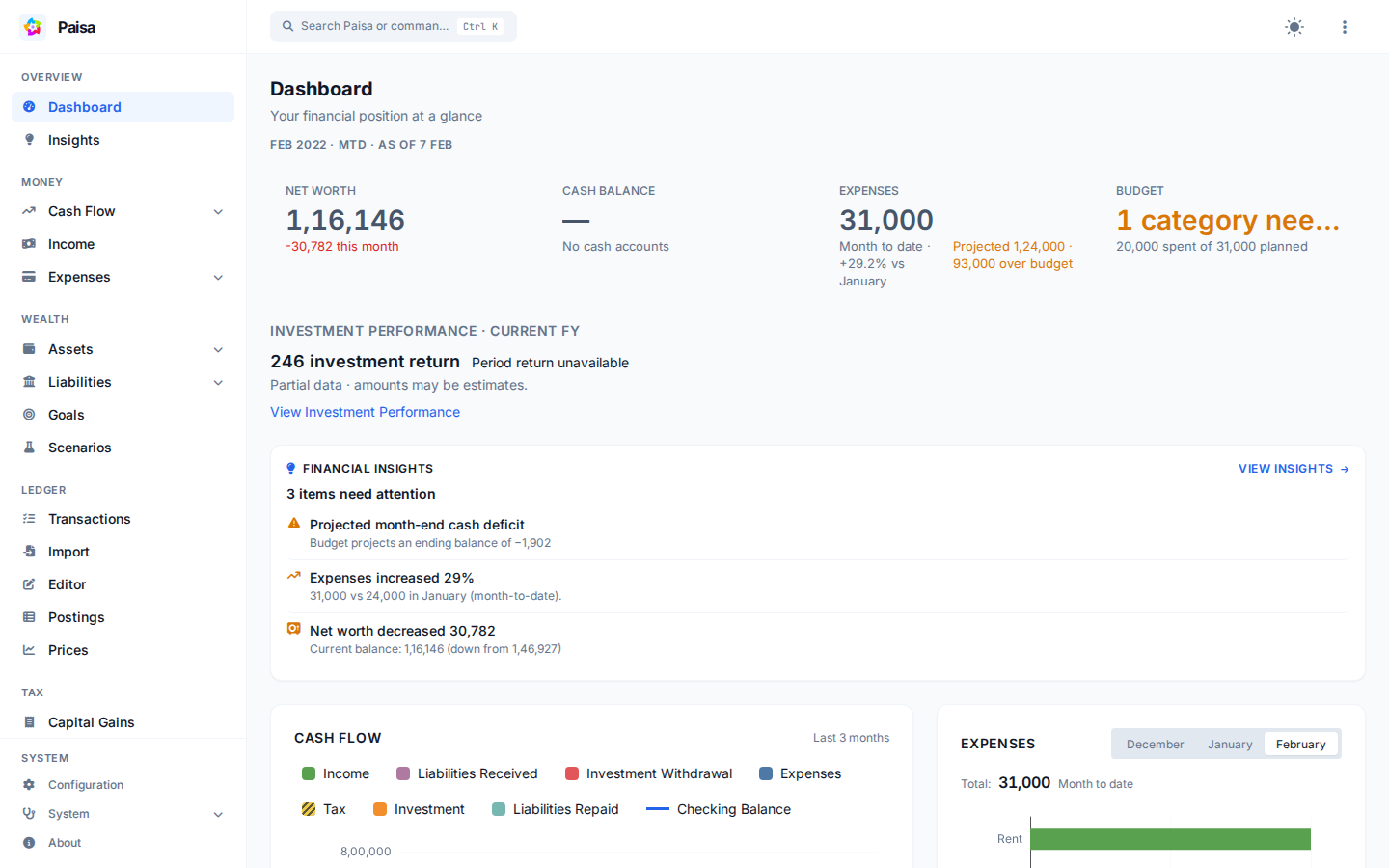
Your data stays understandable
A Ledger journal records both sides of every transaction. It remains readable, portable, and easy to back up even when Paisa is not running. Paisa builds its reports from that journal and stores derived data in a local SQLite database.
You can run Paisa on your own computer or a server you control. Configured price providers make requests to external services, and any third-party host can access the data stored there.
What can I do with Paisa?
-
Understand your finances
Review expenses, income, net worth, cash flow, liabilities, investment performance, and allocation.
-
Plan ahead
Set budgets and goals, review recurring commitments, and explore retirement or what-if scenarios.
-
Bring in your records
Import CSV, Excel, and PDF statements, reuse templates, and review the generated entries before saving.
-
Find problems early
Use Doctor to find accounting, valuation, allocation, and reconciliation issues in your data.
Get started
- Install Paisa.
- Follow First setup to create a working journal.
- Explore the Product Tour or jump to Using Paisa.
Which version do these docs describe?
This site follows the maintained
Pratap-kute/paisa repository.
A packaged release can lag behind the documentation. Upstream resources are
listed separately in Project history and community.
Project history
Paisa was originally created by Anantha Kumaran and developed with contributions from the open-source community. This repository continues that work while preserving its history and AGPL license.