Product Tour
This tour starts with the big picture, then moves through the records and plans behind it. Screenshots use sample data.
See your financial picture
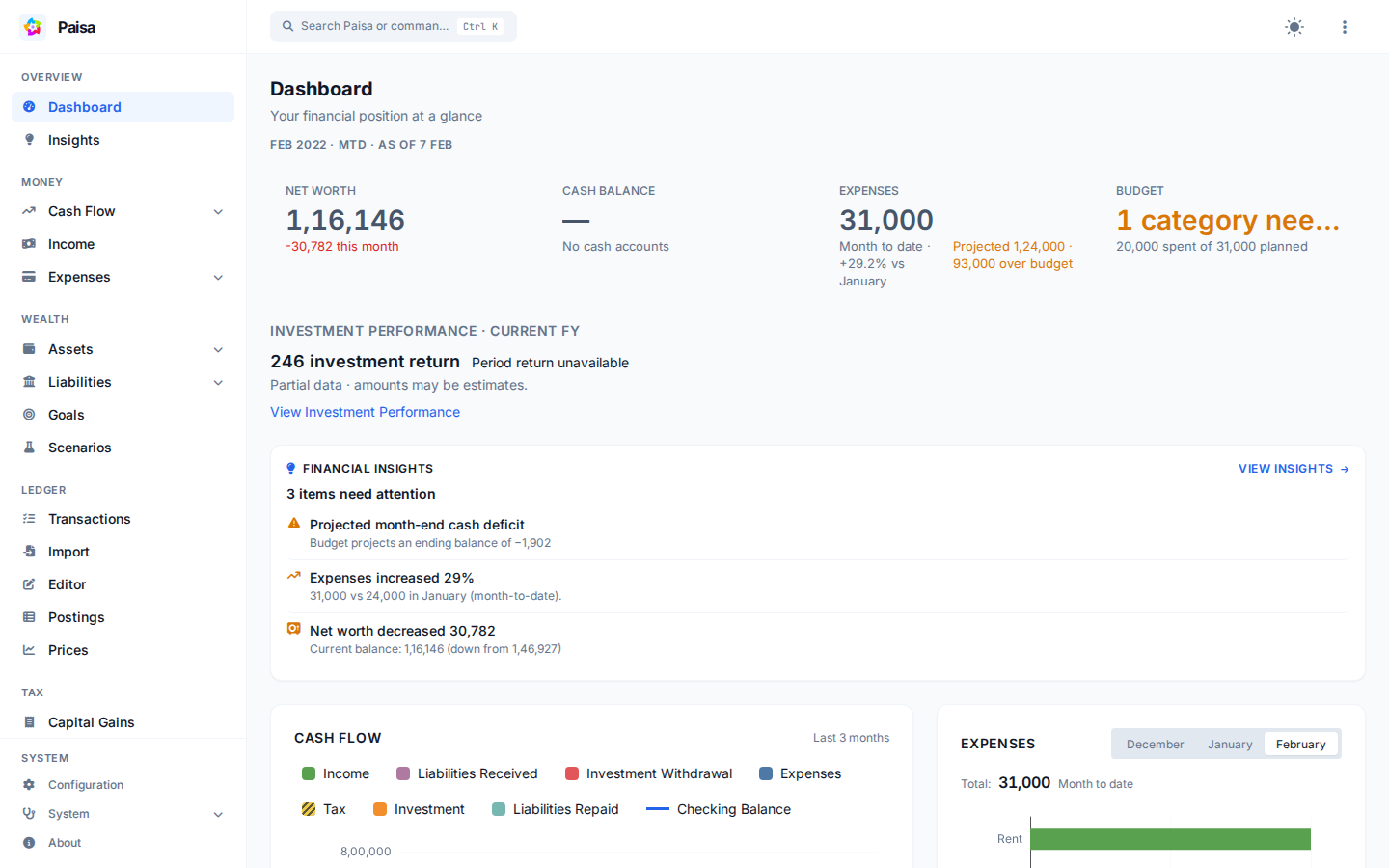
The Dashboard brings balances, net worth, income, expenses, cash flow, and recent activity together. Open a report when you need to trace a total back to its accounts and transactions.
Learn about accounts · Explore financial reports
Keep spending on track
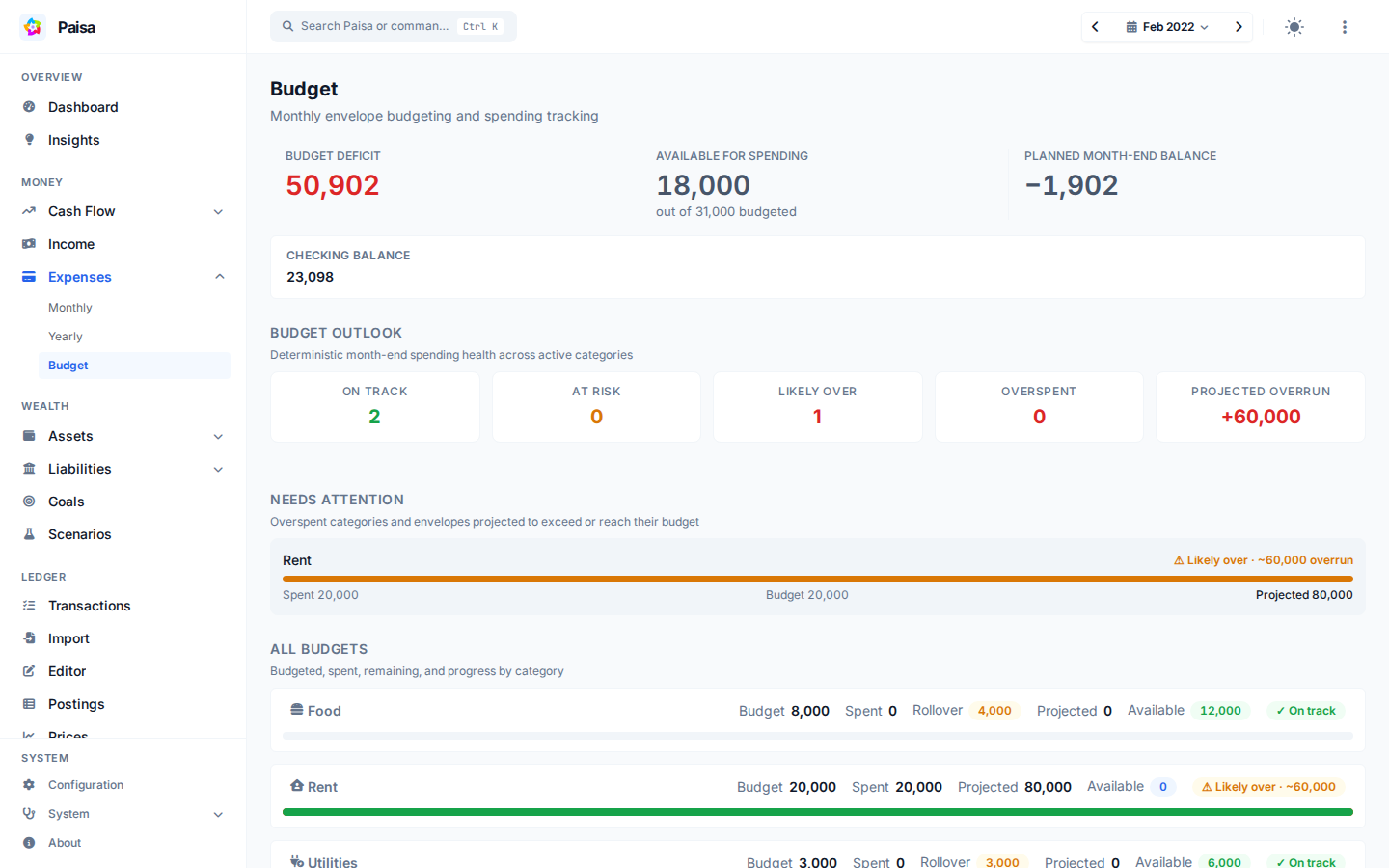
Group expenses with your account hierarchy, set monthly envelopes, and compare actual spending with the amount available. Paisa also highlights categories whose current pace may exceed their budget.
Set up budgets · Review recurring transactions
Spot changes and unusual activity
Financial Insights compares a selected month with your history and highlights spending changes, budget risk, cash warnings, and positive trends. The observations are deterministic summaries of your journal data, not advice from an external AI service.
Understand investments
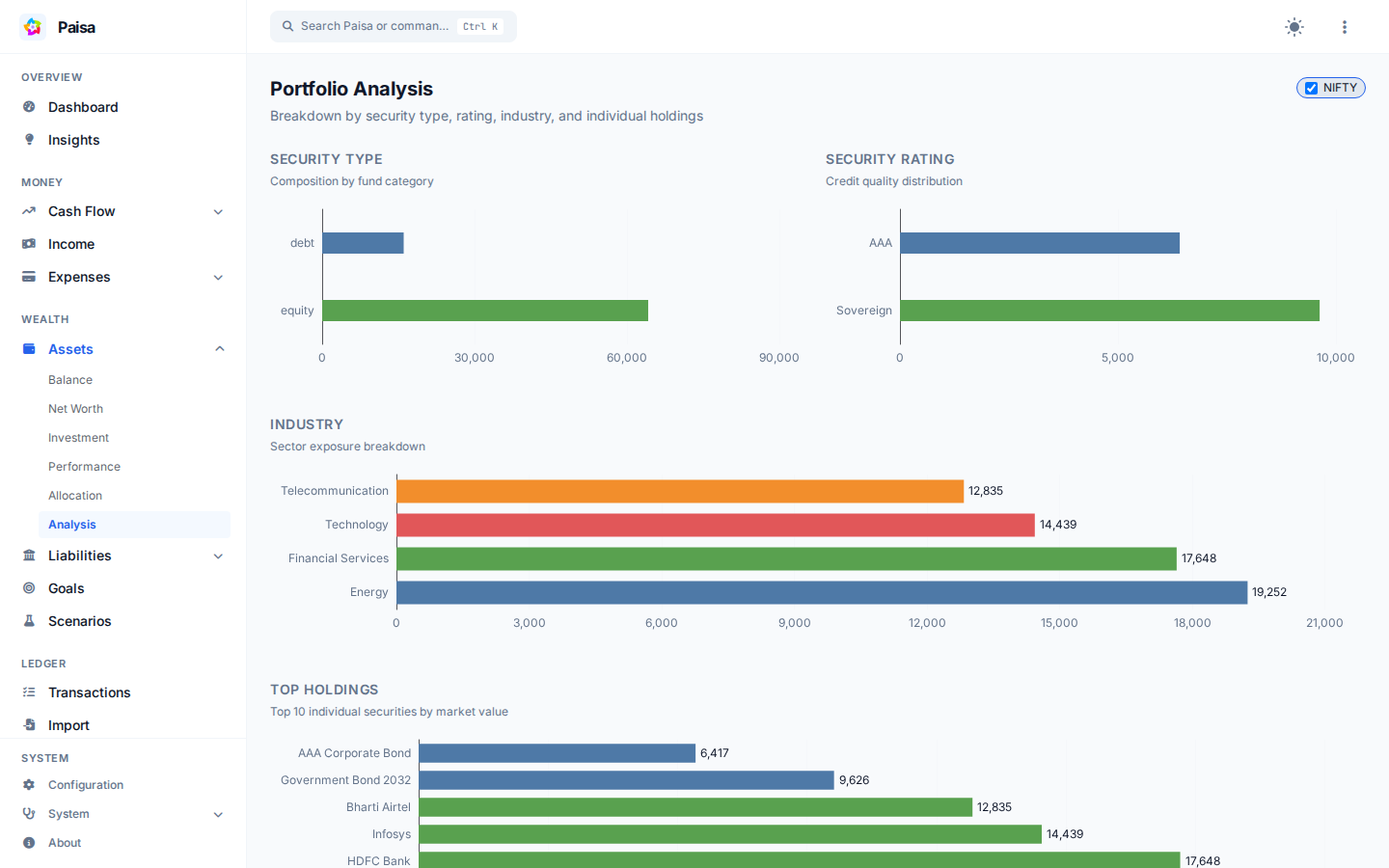
Review holdings, allocation, contributions, and investment return. Paisa can calculate period return and XIRR when the journal contains enough price and cash-flow data.
Portfolio Analysis · Investment performance · Allocation targets · Prices
Import a statement
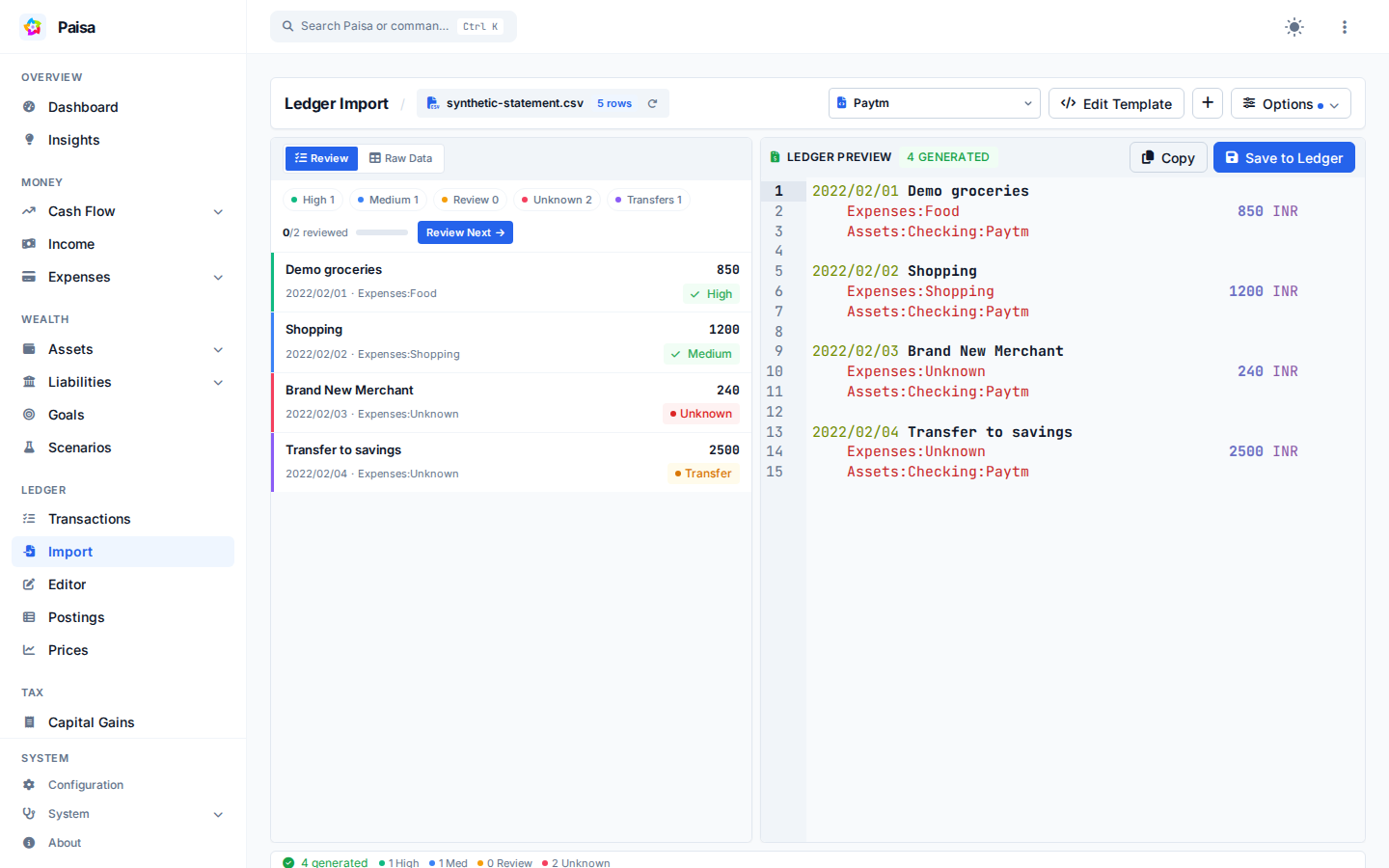
Drop in a CSV, Excel, or PDF statement, choose a template, and inspect the generated Ledger entries. Fix unknown categories or mapping problems before saving. Templates make a bank's recurring layout reusable.
Import statements · Account suggestions
Edit the journal
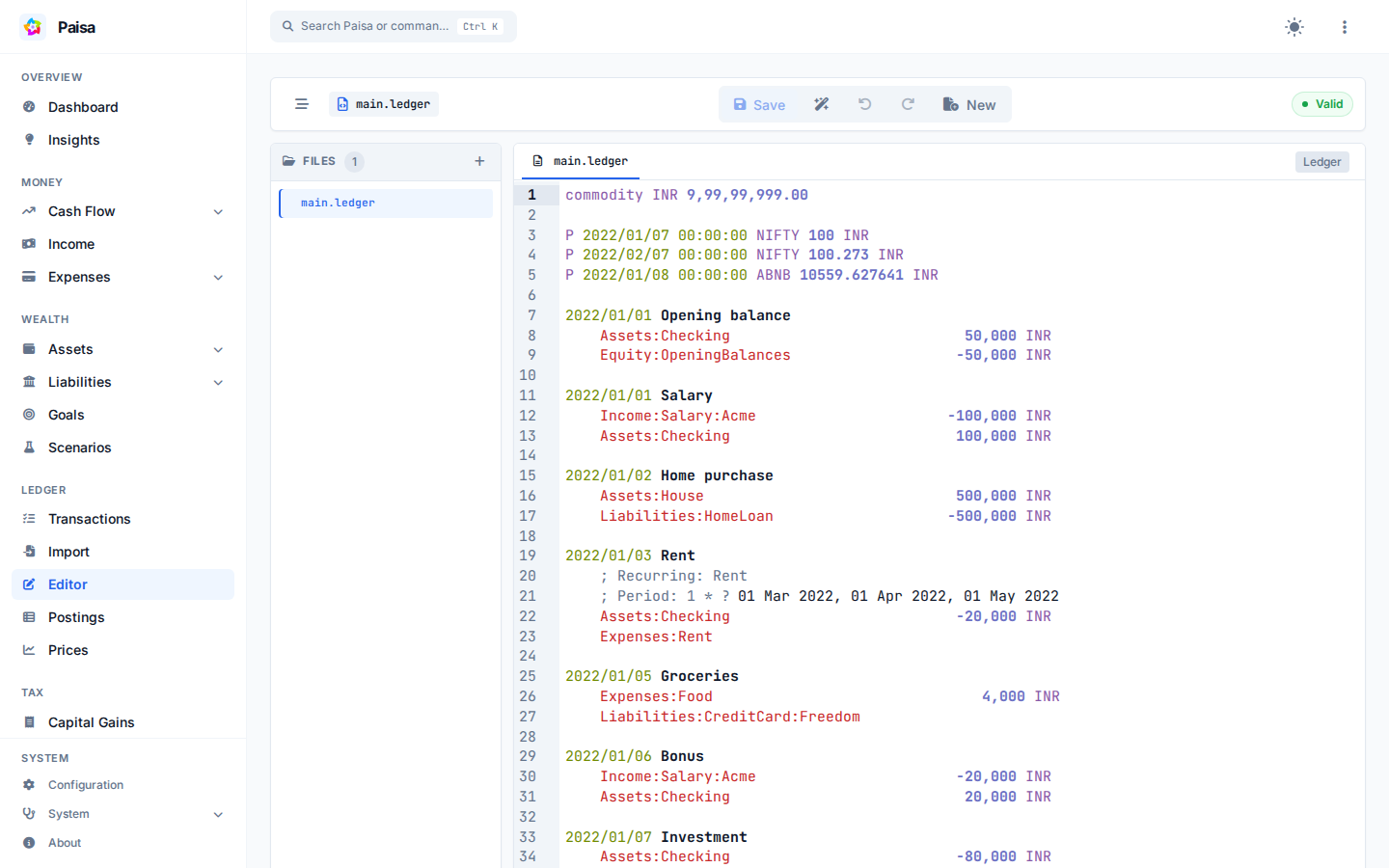
The built-in editor adds syntax highlighting, completion, formatting, and validation without replacing the plain-text journal. You can still use your normal editor, backups, and version-control workflow.
Use the editor · Understand the journal
Plan for goals
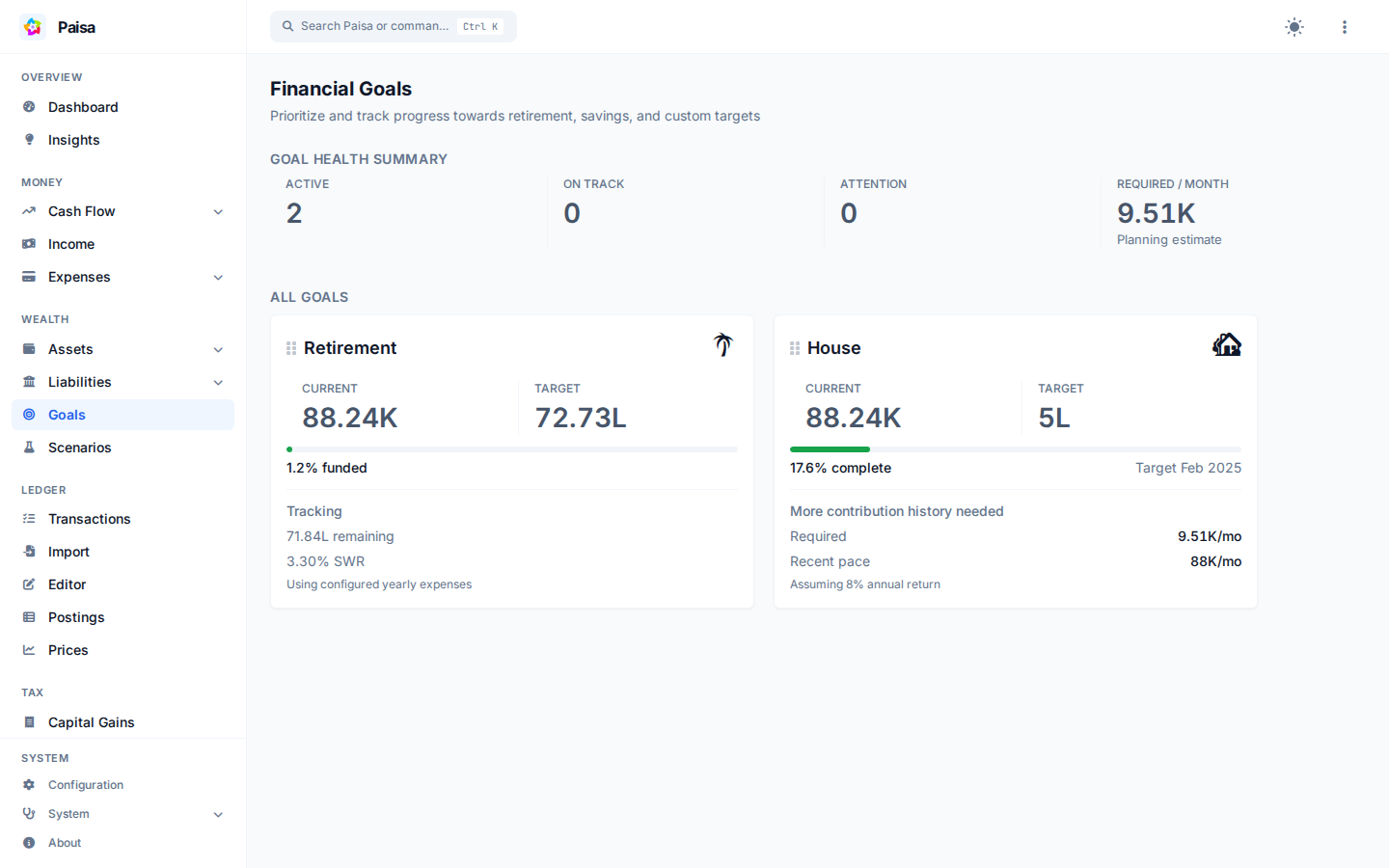
Track a savings target, work through retirement assumptions, or compare a what-if scenario. Scenarios change only the projection; they do not edit your journal or predict market performance.
Goals · Retirement · Scenario planning
Review commitments
Recurring views help you see bills that are due or may have been missed. Credit card pages organize statements and repayments. Paisa does not connect to your bank or initiate payments.
Recurring transactions · Liabilities
Check your data
Doctor finds accounting, valuation, allocation, and reconciliation issues. Each finding links back to the records you need to review; Doctor never rewrites the journal automatically.
Keep control of the files
Your journal and configuration remain readable files. Paisa maintains a local database for reports, and interactive sheets can calculate with journal values.