Account suggestions
When you import a statement, Paisa can suggest an account for each transaction. Suggestions help with the first pass; you review them in the preview before anything is added to the journal.
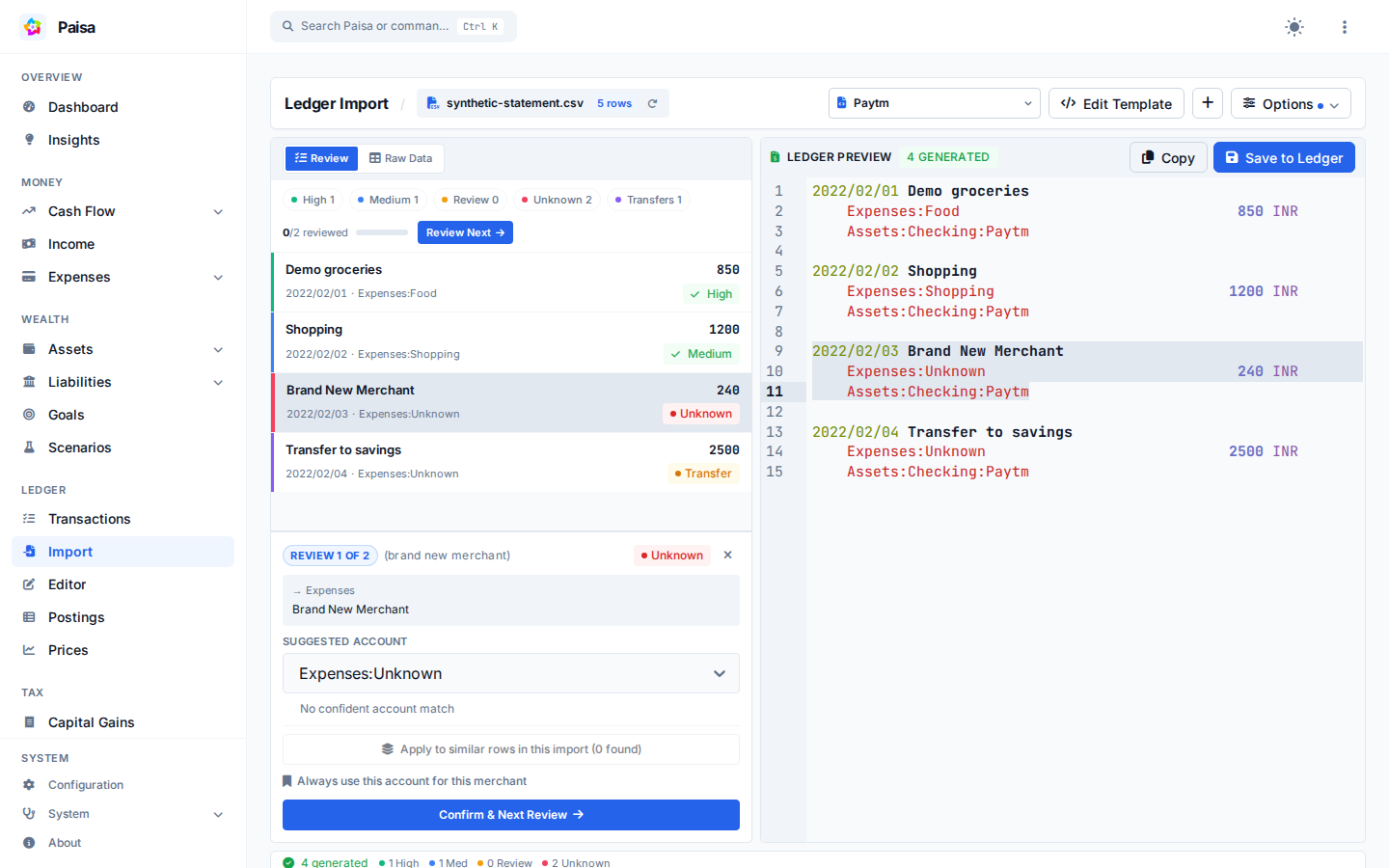
Example
Suppose a statement contains SWIGGY INSTAMART BANGALORE for ₹1,248. A saved
merchant rule or several matching transactions in your journal may produce:
Suggested account: Expenses:Groceries
Confidence: High
Reason: known merchant with matching ledger history
An ambiguous description such as AMAZON may have been recorded under
Expenses:Shopping four times and Expenses:Books three times. Paisa marks a
split history like this for review instead of pretending that one answer is
certain.
How a suggestion is made
Paisa first checks saved merchant rules, then compares the transaction with your committed ledger history. Historical matches consider the merchant, source account, direction, currency, amount, and recency. If there is still no confident match, Paisa can use an older keyword-similarity fallback.
When the evidence is weak, Paisa marks the suggestion for review or returns
Unknown instead of treating it as certain.
The result includes a confidence level and a reason where available. Low- confidence and unknown suggestions should be reviewed or replaced before you save the import.
Merchant rules
If a merchant always belongs to the same account, save a merchant rule from the
import workflow or configuration. Rules are stored under
prediction.merchant_rules in paisa.yaml and take precedence over general
history. Read-only configurations cannot save new rules.
Reviewing or overriding a suggestion fixes the current import. A saved merchant rule is the option that persists for future imports; Paisa does not silently change your journal categories.
Prediction runs locally on the data available to Paisa. It does not send your statement to an external AI service.
Technical notes
The legacy fallback represents account descriptions with TF-IDF and compares them using cosine similarity. It can produce Needs Review or Unknown, but never a high-confidence suggestion.